How to Apply
Follow our step-by-step guide to complete your postgraduate application to Mountain Top University. We have streamlined the process to make it as smooth as possible.
Application Guide
1. Review Requirements
Before starting your application, check the admission requirements for your chosen programme (PGD, Master's, or Ph.D) to ensure eligibility.
2. Prepare Documents
Gather necessary documents, including academic credentials, references, statement of purpose, passport photograph, and a research concept note (for Ph.D/M.Phil).
3. Fill Application Form
Create an account on the application portal, complete the online application forms accurately, and upload all required documents.
4. Complete Payment
Pay the application form fee securely online through the portal. Use this guide alongside the portal to complete your enrollment payment seamlessly.
5. Submit Transcripts
Contact your previous institution(s) to send your official academic transcripts directly to pgadmission@mtu.edu.ng. Admission is pending transcript receipt.
Start your application today
Click below to open the official Mountain Top University Admissions Portal. Use this guide alongside the portal to complete your enrollment payment seamlessly.
Step-by-Step Portal Guide
Follow these visual steps on the admissions portal to complete your registration, make payments, and submit your credentials.
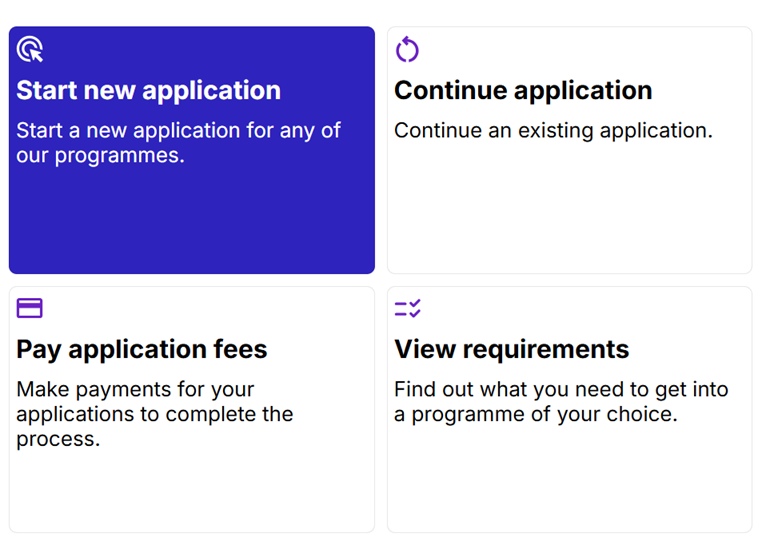
Start New Application
Click on the "New Application" button on the admissions portal to begin. Choose your student category to open the registration form.
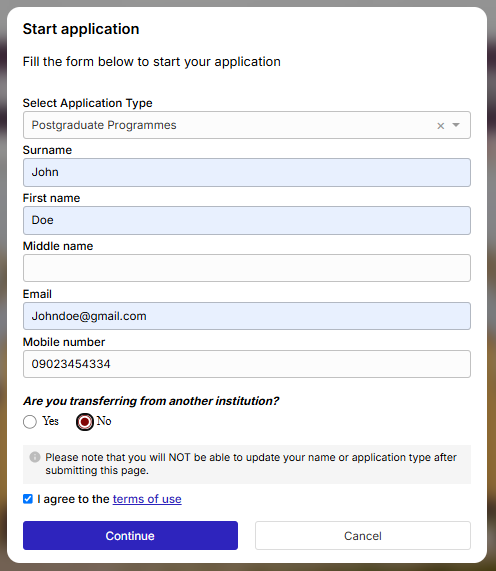
Fill Basic Details
Provide your registration details to start. Ensure the input matches your official academic credentials.
You must select Open Distance Learning from the "Select Application Type" dropdown list.
• Input your Surname, First Name, Email, and Mobile number.
• Note: Names and Application types CANNOT be modified after submission.
• Tick "I agree to the terms of use" and click Continue.
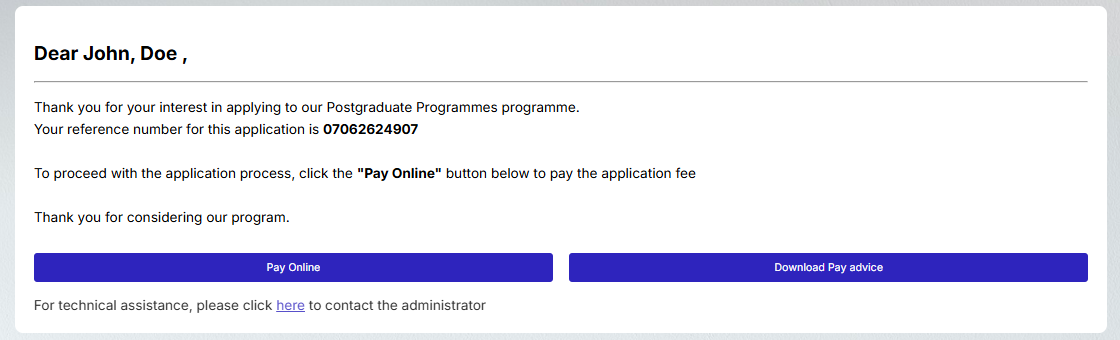
Obtain Reference Number
A personalized reference number (e.g. 26052624694) will be generated for your profile.
• Copy the reference number. It is essential for checking your payment status or resuming application drafts.
• Click the Pay Online button to advance directly to the verification page, or click Download Pay advice to save a local receipt copy.
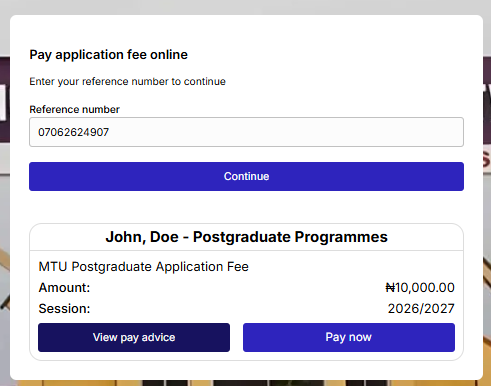
Verify Amount Details
Verify your details and billing amount before checking out.
• If resuming later, enter your copied reference number in the box and click Continue.
• Application Fee: ₦10,000.00
• Session: 2026/2027
• Click Pay now to open the transaction gateway interface.
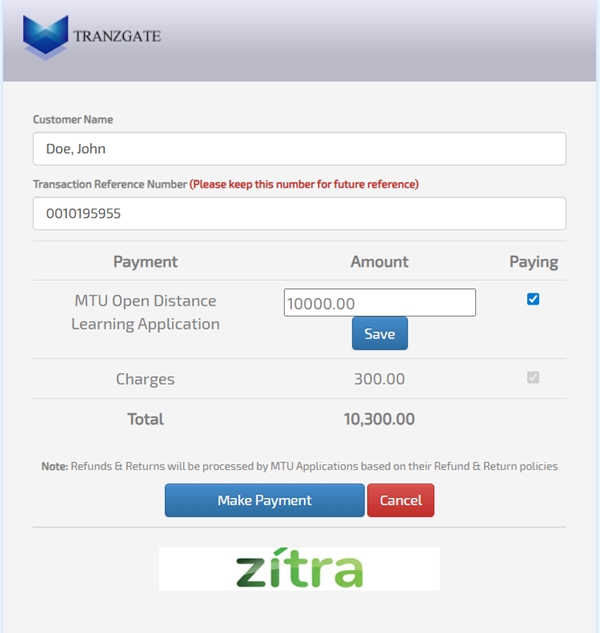
Review Gateway Summary
The TRANZGATE secure gateway page will load to process the fee.
• Verify your billing details. Note that a standard transaction charge of ₦300.00 is added by the gateway.
• Total Payable Amount: ₦10,300.00
• Keep the Transaction Reference Number displayed for your reference, and click the blue Make Payment button.
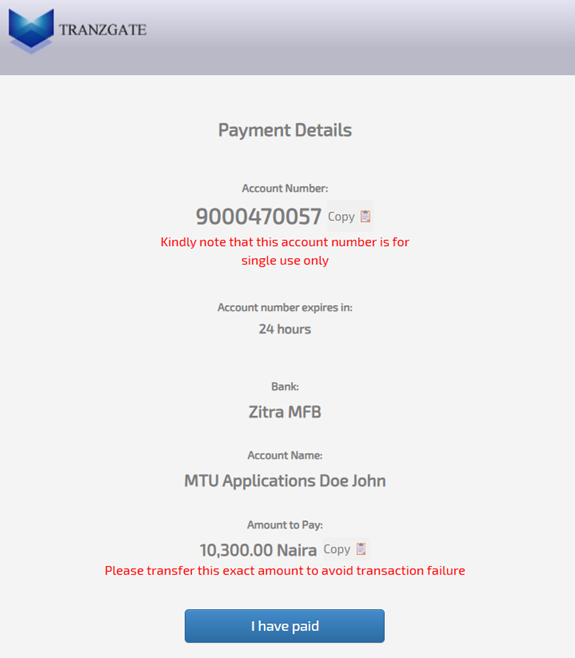
Complete Bank Transfer
Complete your payment using bank transfer.
• The generated account number at Zitra MFB is a SINGLE-USE account and expires in 24 hours.
• Transfer the EXACT amount of ₦10,300.00. Transferring any other figure will cause a transaction failure.
• Verify the recipient account name appears as: MTU Applications [Your Name].
• Once the transfer is successful, click the blue I have paid button to finalize payment validation.